

iPhone Storage Full? The 80GB 'System Data' Mystery and What You Can Do
The mysterious 'System Data' category is eating up iPhone storage, sometimes taking over 100GB. We explain what it is, why you can't delete it, and the one trick you can try.
Is your iPhone really full of photos and apps? For one user, a mysterious category called 'System Data' ballooned to 80GB, consuming nearly a third of their total storage. This isn't an isolated glitch; it's a hidden problem frustrating users everywhere.
The Ghost in the Machine
When the dreaded 'Storage Full' notification appears, most iPhone users instinctively start deleting photos or offloading unused apps. But the real culprit might be hiding in plain sight. At the very bottom of the iPhone Storage settings, the 'System Data' category can sometimes expand to dozens of gigabytes. One user on Reddit reported it was taking up a massive 128GB on their 256GB device—half their entire storage.
Why You Can't Just Delete It
The most frustrating part is that there's no manual 'Clear' button. Apple states that iOS is designed to automatically monitor and optimize storage, removing temporary files and caches as needed. In short, their official stance is that users don't need to—and can't—manage it themselves.
This data's size is indeed highly volatile. The original article's author saw their 80GB of System Data drop to 50GB overnight. It's because iOS itself decides when and what to clean up.
The Only Trick That Might Work
While there's no official fix, there's one action you can take that may help nudge the automatic cleanup process along: force-closing your unused apps. To do this, swipe up from the bottom of the screen to reveal all your open app windows, then swipe each window up to close it. This signals to the system that the temporary files associated with those apps are no longer needed. It won't clear the data immediately, but it's believed to help the system prioritize the cleanup.
본 콘텐츠는 AI가 원문 기사를 기반으로 요약 및 분석한 것입니다. 정확성을 위해 노력하지만 오류가 있을 수 있으며, 원문 확인을 권장합니다.
관련 기사
아이폰 저장 공간을 차지하는 정체불명의 '시스템 데이터'. 최대 128GB까지 차지하는 이 데이터의 정체와, 사용자가 직접 제어할 수 없을 때 시도해 볼 유일한 해결책을 알아봅니다.
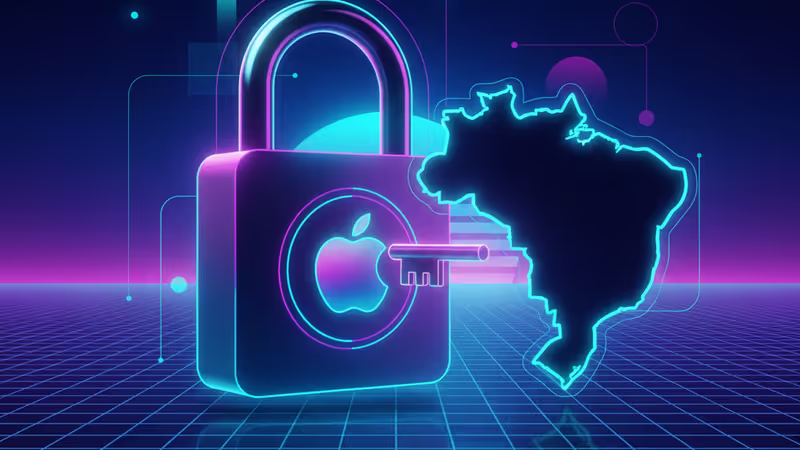
애플이 2026년부터 브라질에서 서드파티 앱스토어 및 외부 결제 시스템을 허용한다. 2022년부터 이어진 반독점 소송의 결과로, EU에 이어 글로벌 규제 압박이 확산되는 양상이다.

애플이 유럽연합(EU)의 디지털시장법(DMA) 압박에 따라 iOS 26.3에 유럽 사용자만을 위한 새로운 기능을 추가합니다. 서드파티 기기 연동성 강화가 핵심으로, 기술 규제가 소프트웨어 개발에 미치는 영향을 분석합니다.

최신 iOS 업데이트에 대한 전 세계적 분노는 단순한 버그 문제가 아닙니다. 애플의 디자인 철학 변화와 사용자 경험의 위기를 심층 분석합니다.
아이폰 저장 공간을 차지하는 정체불명의 '시스템 데이터'. 최대 128GB까지 차지하는 이 데이터의 정체와, 사용자가 직접 제어할 수 없을 때 시도해 볼 유일한 해결책을 알아봅니다.
애플이 2026년부터 브라질에서 서드파티 앱스토어 및 외부 결제 시스템을 허용한다. 2022년부터 이어진 반독점 소송의 결과로, EU에 이어 글로벌 규제 압박이 확산되는 양상이다.
애플이 유럽연합(EU)의 디지털시장법(DMA) 압박에 따라 iOS 26.3에 유럽 사용자만을 위한 새로운 기능을 추가합니다. 서드파티 기기 연동성 강화가 핵심으로, 기술 규제가 소프트웨어 개발에 미치는 영향을 분석합니다.
최신 iOS 업데이트에 대한 전 세계적 분노는 단순한 버그 문제가 아닙니다. 애플의 디자인 철학 변화와 사용자 경험의 위기를 심층 분석합니다.