
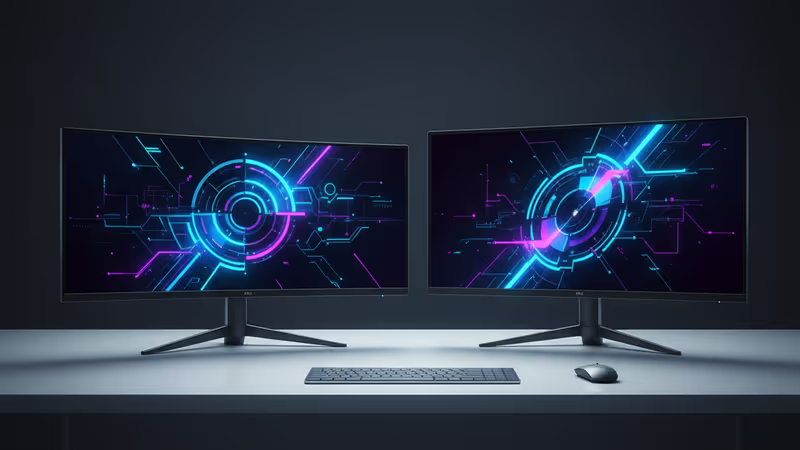
The Ultimate Monitor Buying Guide for 2025: How to Choose Between 4K, OLED, and Ultrawide
Our complete 2025 guide to buying a new monitor. Learn how to choose like a pro by understanding panel tech (OLED, Mini-LED, IPS), 4K resolution, PPI, ultrawide aspect ratios, and more.
Is your monitor the weakest link in your setup? In 2025, the screen you stare at all day is more than just a passive display—it's the centerpiece of your productivity and entertainment. With 4K resolution becoming the new standard and advanced panel technologies like OLED and Mini-LED rapidly becoming more affordable, the choices can be overwhelming. This PRISM guide will demystify the specs and help you find the perfect monitor for your needs.
Panel Wars: OLED vs. Mini-LED vs. IPS
A monitor's soul is its panel. Today's market is a three-way race. The most common technology is still IPS (In-Plane Switching), known for its solid color accuracy and affordability. Newer versions like 'IPS Black' have boosted contrast ratios to nearly 2,000:1, closing the gap with higher-end tech.
The king of the premium market is OLED (Organic Light-Emitting Diode). Its self-lit pixels deliver perfect blacks and essentially infinite contrast. Once a luxury item costing well over $1,000, OLED gaming monitors can now be found for as low as $500. The old fear of burn-in has been largely mitigated by features like automated pixel refreshes and extended three-year warranties from most manufacturers.
Positioned between OLED and IPS is Mini-LED. This technology uses hundreds or thousands of tiny LEDs as a backlight, divided into 'dimming zones' to control contrast locally. It can achieve higher peak brightness than OLED, making it great for HDR content. However, performance can vary significantly, as the quality depends heavily on the number of zones and the manufacturer's control algorithm.
Size vs. Resolution: The Pixel Density Puzzle
Sharpness isn't just about resolution. The true measure is pixel density, or PPI (Pixels Per Inch), which accounts for both screen size and resolution. A 4K monitor looks much sharper at 27 inches than it does at 32 inches. For office work and content creation, a good rule of thumb is to aim for a density of over 100 PPI.
| [object Object] | [object Object] | [object Object] | [object Object] |
|---|---|---|---|
| [object Object] | [object Object] | [object Object] | [object Object] |
| [object Object] | [object Object] | [object Object] | [object Object] |
| [object Object] | [object Object] | [object Object] | [object Object] |
| [object Object] | [object Object] | [object Object] | [object Object] |
Beyond the Rectangle: Aspect Ratios and Curves
The traditional 16:9 aspect ratio is no longer the only option. Ultrawide monitors with a 21:9 ratio are a popular alternative to dual-screen setups for multitasking and provide a wider field of view in games. For the ultimate immersive experience, super ultrawide displays boast a massive 32:9 ratio.
Wider monitors almost always feature a curve to enhance immersion. This is measured with a rating like 1800R (the curve of a circle with an 1800mm radius). A smaller number means a more aggressive curve. An extreme 800R curve is great for gaming but can cause distortion in productivity tasks, so it's crucial to match the curve to your primary use case.
本コンテンツはAIが原文記事を基に要約・分析したものです。正確性に努めていますが、誤りがある可能性があります。原文の確認をお勧めします。
関連記事
2025年最新のPCモニター購入ガイド。OLED、ミニLED、4K、ウルトラワイドなど、複雑な選択肢の中からあなたに最適な一台を見つけるためのパネル技術、解像度、アスペクト比を専門家が解説します。

Steam Deck LCDモデル生産終了は、携帯ゲーミング市場の価格戦略とプレミアム化を加速させます。Valveの真意と業界の未来をPRISMが深掘り。

LGが2026年に初のフラッグシップ「Micro RGB TV」を発売。OLEDの王者が仕掛ける次世代技術はテレビ市場をどう変えるのか?専門家がその影響と将来を徹底分析。

LGが2026年に新技術『Micro RGB』テレビを投入。OLEDの王者が仕掛ける次世代ディスプレイ戦略を専門家が分析。技術の詳細、市場への影響、消費者が知るべき点を解説します。
2025年最新のPCモニター購入ガイド。OLED、ミニLED、4K、ウルトラワイドなど、複雑な選択肢の中からあなたに最適な一台を見つけるためのパネル技術、解像度、アスペクト比を専門家が解説します。
Steam Deck LCDモデル生産終了は、携帯ゲーミング市場の価格戦略とプレミアム化を加速させます。Valveの真意と業界の未来をPRISMが深掘り。
LGが2026年に初のフラッグシップ「Micro RGB TV」を発売。OLEDの王者が仕掛ける次世代技術はテレビ市場をどう変えるのか?専門家がその影響と将来を徹底分析。
LGが2026年に新技術『Micro RGB』テレビを投入。OLEDの王者が仕掛ける次世代ディスプレイ戦略を専門家が分析。技術の詳細、市場への影響、消費者が知るべき点を解説します。